User guide · CDSlides 0.1.7
Showing CDSlides in OBS
CDSlides has a Stream output for OBS Studio: hymn words, readings and titles as a lower third over your camera, with a transparent background. It follows whatever you put live, with nothing to install in OBS.
On the same computer as CDSlides
- In CDSlides, choose Outputs… (right-hand column, at the bottom) and
find Stream (OBS). Click the copy button next to its address,
http://127.0.0.1:6460/output/stream. - In OBS, under Sources, click + and choose Browser. Name it CDSlides and click OK.
- In the browser source's settings:
- URL: paste the address.
- Width and Height: your video's size, usually 1920 and 1080 (OBS: Settings → Video → Base (Canvas) Resolution).
- Leave Custom CSS as it is; it keeps the background transparent.
- Click OK.
- In the Sources list, drag CDSlides above your camera, so the words sit over the picture.
Put a hymn live in CDSlides: the words appear in OBS within a moment.
On another computer (the streaming computer)
- In CDSlides, open Settings → Network and turn on Show outputs to other devices on this network. Windows may ask whether CDSlides may use the network: allow it on private networks.
- The Stream address in Outputs now starts with this computer's network
address, for example
http://192.168.1.20:6460/output/stream. Copy it. - On the streaming computer, add the Browser source in OBS as above, with that address.
Devices on the network can only watch; they can't control CDSlides.
Choosing the look
The Look list under Stream (OBS) changes what OBS shows, at once:
| Look | What it shows |
|---|---|
| Lower third (the default) | The words in a bar along the bottom, over the camera |
| Full slide | The whole slide, background and all, as the projector shows it |
| Words only | The slide's words in the theme's layout, with no background |
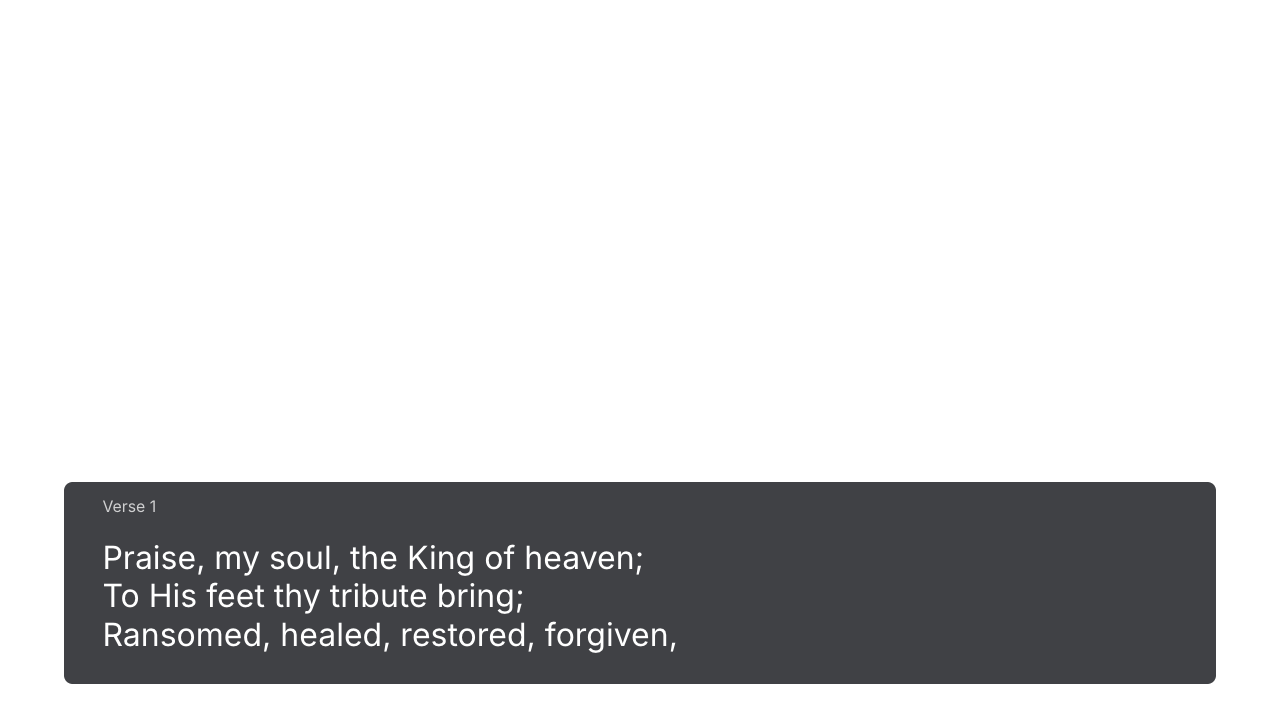
Pictures and videos are for the room: only Full slide shows them.
Address options
Add these to the end of the address, after a ? (join two with &):
| Option | What it does |
|---|---|
w=1920&h=1080 |
Draws at exactly this size, whatever the browser's size. OBS sets the size itself, so it's rarely needed there. |
black |
Follows Black and Logo. Without it, the stream keeps showing the words when you black out the room. |
For example: http://127.0.0.1:6460/output/stream?black.
If something's not right
- Nothing appears: check that something is live in CDSlides (the red LIVE badge), and that the address is exactly as copied. Outputs shows Open in 1 browser when OBS is connected.
- A black box behind the words: the browser source's Custom CSS was changed. Click Reset next to it in the source's settings.
- It stopped after CDSlides restarted: it reconnects by itself within a few seconds.
- On another computer it can't connect: network sharing must be on (above), both computers on the same network, and a firewall mustn't block port 6460.
Guides describe CDSlides 0.1.7. Source at f65a007e.