User guide · CDSlides 0.1.7
Bible readings
Adding a reading
Open Library → Bible and type a reference the way you'd say it: rom 8 28-39, Genesis 1, 1 cor 13:4-7. CDSlides reads it as Romans 8:28–39 and shows the passage. Choose Add to put it in the service.
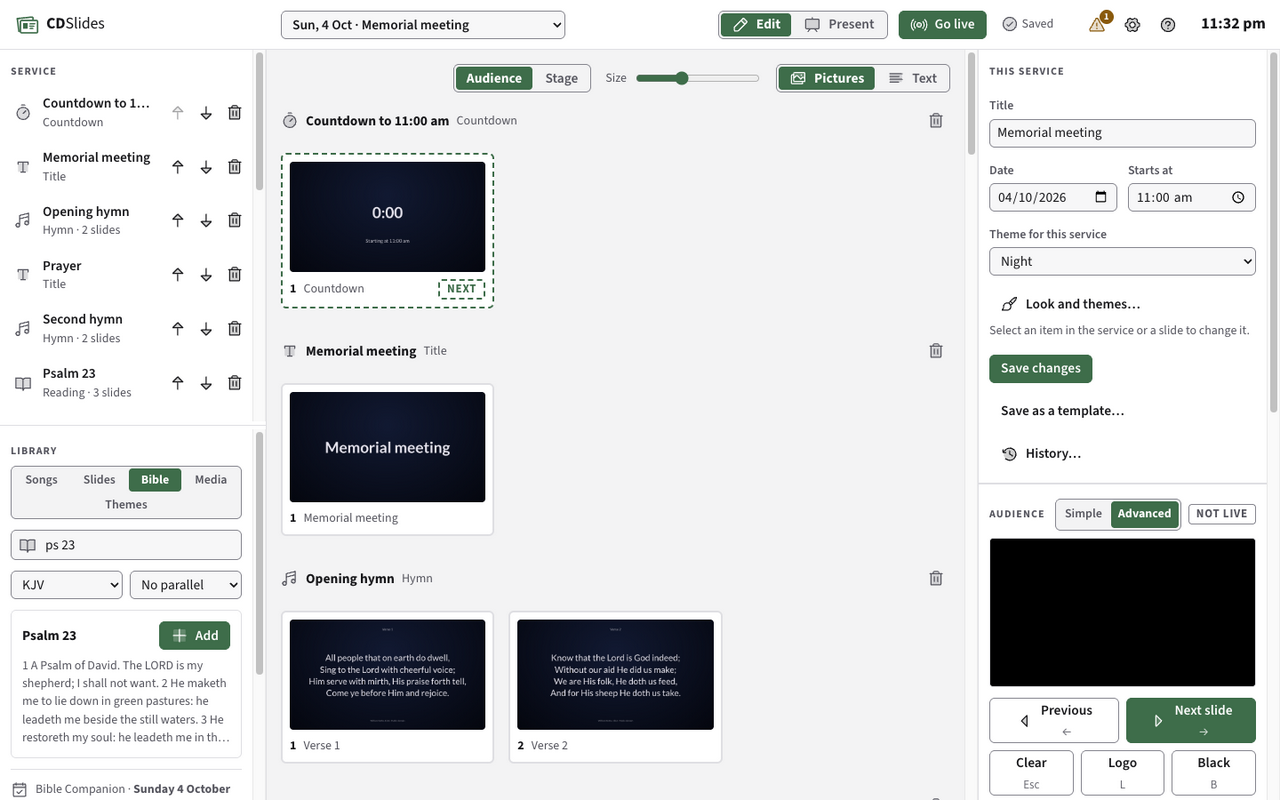
Long passages are split across slides at verse breaks. The reference shows on the slides, with the translation's short name.
The Bible Companion
The day's readings from the Bible Companion are offered at the top: Add all three readings adds them to the service in one go. Service templates for the Memorial meeting include them by themselves.
Translations
The KJV, WEB, BSB and ASV are built in. Choose the translation for each reading.
New readings start in the ecclesia's usual translation (the KJV unless you change it). To change it, choose a translation in the Bible panel and click Make … the ecclesia's usual translation. Every computer sharing the library uses it.
Show alongside adds a second translation, shown together on each slide.
Adding another Bible
If your ecclesia is licensed to use another translation (the ESV, for example), add it from a file: Add a Bible from a file… in the Bible panel. Zefania XML, OSIS and USFM files work, including a zip of USFM books.
You confirm your ecclesia's licence when adding it. Services work on every computer either way, because a reading keeps its text in the service.
Sharing a Bible with your other computers
If the library is in the cloud (Settings → Library → Cloud), a Bible added on one computer can be shared with the others, so each needn't import the file:
- When adding it, tick Also share it through the ecclesia's cloud. Or later: Bibles… in the Bible panel, then Share beside it. Editors and admins can share.
- On another computer, Bibles… lists it as In the ecclesia's cloud · not on this computer. Choose Download…, read the copyright notice, and tick Our ecclesia holds the licence to use it on this computer. Download stays unavailable until you tick it.
Nothing downloads a shared Bible by itself: not joining the library, syncing, opening a service, or making it the ecclesia's usual translation. Each computer's operator chooses, and confirms the licence, for that computer. A computer without the usual translation uses a built-in one (KJV) for new readings until it's downloaded, and the Bible panel says so.
If a shared Bible changes (a new version is shared), each computer is asked again before it's downloaded; the copy it has keeps working until then.
An admin can Withdraw… a Bible from the cloud, for example if the licence ends: no computer can download it any more, and the same file can't be shared again. Computers that already have it keep their copy; remove it from a computer with the bin beside it in Bibles….
Next
Guides describe CDSlides 0.1.7. Source at f65a007e.